
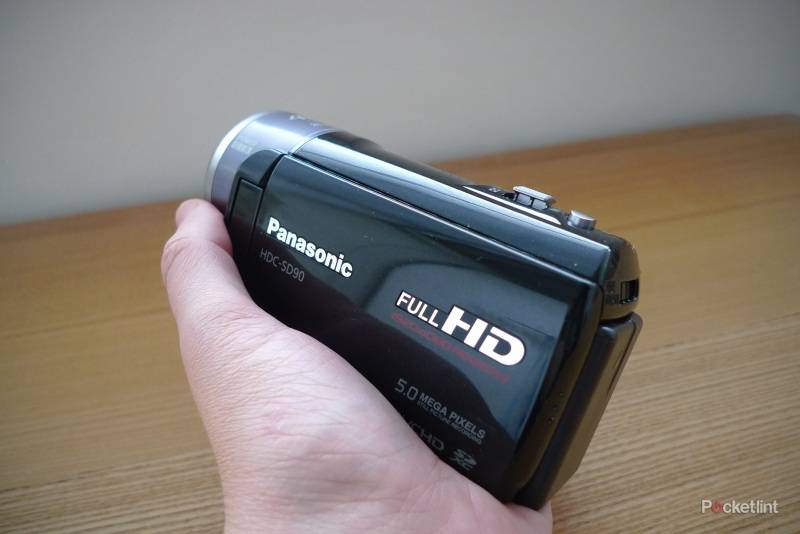
We've seen a few 3D-capable camcorders making their debuts recently, including JVC's GS-TD1 and GZ-HM960 and Panasonic's HDC-SDT750. The HDC-SD90 is Panasonic's entry-level 3D-flavoured compact camcorder, although you'll need to kit yourself out with the optional VW-CLT1 lens as well if you want to shoot in three dimensions. We also recently looked at the excellent HDC-SD900 camcorder which tops Panasonic's range and will accept the same 3D lens, but critically offers a 3MOS sensor arrangement.
Our quick take
Overall, the SD90 is a splendid camcorder for the sub-£500 price bracket and offers lots to get excited about, even before you consider its 3D capabilities. Apart from its slick chassis and comfortable design, its versatility is a key selling point and one that allows for plenty of creative input. This makes it a good choice for budding filmmakers who don't have a lot of cash to spare or those that want some high-quality home movies.
We're giving the SD90 a high score based on it being an excellent camcorder in its own right. The 3D aspect of things is a tad clumsy, but still a compelling add-on if you're keen to start recording in 3D, although only if you've got a fair bit of cash to spare and a 3D TV to make the most out of it.

Panasonic HDC-SD90 - 4.5 / 5
| FOR | AGAINST |
|---|---|
|
|
The SD90 certainly has a lot to offer at first glance - along with 1/4.1-inch CMOS sensor with 3.32-megapixels, the camcorder has a 26x optical zoom that can be upped to 60x using the intelligent zoom option and a digital range that goes from 60 to 1500x. It also boasts a F/1.8, 28mm Panasonic wide-angle lens which should please video enthusiasts who want to get as much into each frame as possible. Meanwhile, a hybrid OIS (Optical Image Stabilizer) combines optical and electrical technology to offer smooth pictures and reduce any affects that shaky hands might have on your footage.
Fitting neatly in the palm of the hand, the SD90's 118.5 x 63.0 x 50.5mm chassis is comfortable to hold and pretty lightweight too, at just 244g. In fact, it manages to strike an important balance between being light enough to hold while still feeling reasonably robust. It might be an entry-level model, but it sports the same premium aesthetics as its more expensive siblings along with a striking, glossy black casing with a distinctly sparkly finish.
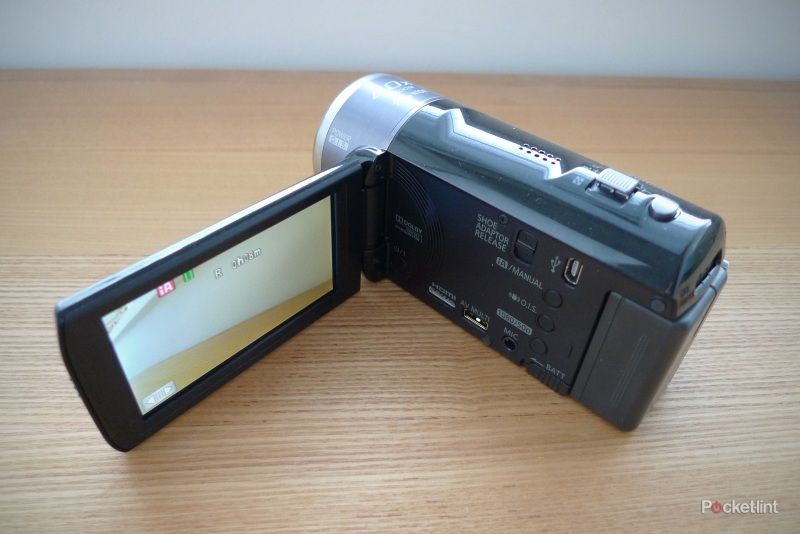
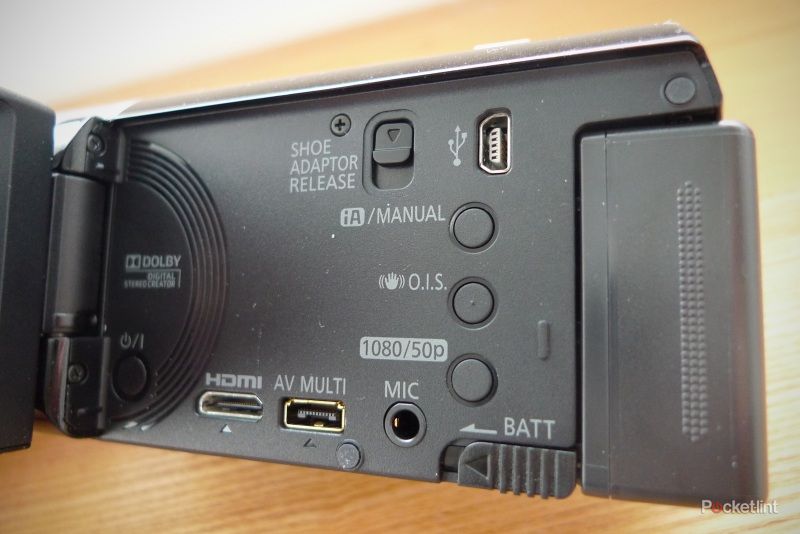
Flipping out the 3-inch LCD automatically turns the camcorder on and naturally, closing it turns the unit back off again. The screen opens out to an angle of 90 degrees and it can then be rotated 180 degrees towards the lens, or 90 degrees in the opposite direction. Most settings can be altered using the onscreen menus, although you'll also find a few "hard" buttons on the body of the unit once the screen has been flipped out - these can be used to alter the iA, OIS and the resolution of your video capture. This panel also houses a mini HDMI port, an AV Multi connection, a Mini-USB and a microphone input so the SD90 is pretty well set for connecting up to most devices. It might have been nice to include a headphone socket as well, but it's certainly not a deal-breaker. The fact that the SD90 also supports Viera Link will please those who've got compatible kit at home as its means that you'll be able to control playback of your camcorder using your TV remote.
The mode switch, for changing between video, stills and playback mode is on the top of the unit, just in the right place for adjusting with your right index finger. Just beyond that, on the top of the unit, you'll find the button for capturing stills and the zoom control, while the video record button is located in its natural place, under the thumb. Although there's no accessory shoe adaptor built-in, Panasonic has thoughtfully included a slot where an adaptor can be attached when the need arises. Along with a standard tripod mount, you'll find the SD card slot on the bottom of the unit. This is compatible with SD, SDHC and SDXC cards (although SD cards under 512MB may not work).
The touchscreen is pretty easy to operate, but a stylus is also supplied if you prefer. Obviously the display isn't going to be as good as the one on your smartphone, but we found it to be a lot easier to use than those found on many of its rivals. The onscreen menus are operated using a graphic called the Touch Round Bar which you slide to the left and right to switch the operation icons. The idea is that it looks something like a dial that you're spinning round. It can be a little time consuming, although it's mainly for tweaking settings so it's not something that you'll need to use every single time you use the camcorder. Thankfully you can turn off the sounds that go along with the screen navigation and they get quite annoying after a while.
The camcorder offers full HD 1080/50p at a 28Mbps bitrate and you can choose between recording the usual AVCHD files (at 50i) or iFrame video which is ideal if you intend to playback and edit your footage on a Mac using iMovie. Slightly oddly, this settings aren't on the touchscreen menu - instead you need to press and hold the relevant button on the unit, which is actually easier.
The supplied battery offers up to 1 hour and 50 minutes of continuous recordable time, says Panasonic, which seems like a reasonable estimate judging by our experience, and not a bad offering for a compact camcorder.
The SD90 is capable of capturing 5-megapixel snaps, and you can also capture still images while you're recording video, just by pressing the usual still image button, although the image quality will be slightly lower (4.5 megapixels) and certain features, such as the built-in flash and red-eye reduction, won't work. You can choose between manually selecting your desired image mode or simply using the iA function, which will do it for you. The modes on offer include all the usual suspects such as Portrait, Scenery, Lowlight, Night Scenery and Macro.

There are plenty of handy features on offer such as Face Recognition and Face Framing, where up to six faces can be recognised and settings are automatically changed to offer the best picture. You also get the usual stuff like red-eye reduction as well a handy high-speed burst mode for taking lots of snaps in quick succession. There's a Windows-only software disc in the box which offers some basic image managements options but nothing much besides.
When recording, we found it easier to use the manual zoom control on the top of the unit, rather than the touchscreen, although the control could definitely do with being a touch smoother. We found the autofocus to be pretty effective even in low light conditions and on a cloudy day. Images were really smooth with very few jagged edges and no visible pixellation. Detail on close-up shots was also particularly impressive.
Sound is recorded in two-channel Dolby Digital stereo and by camcorder standards, it isn't bad at all and there are even a few options for setting the built-in mic's levels. However, you do get the telltale rustling sound in the background in any noisy environments. The SD90 manages to get round this particular flaw by including an input for an external mic, which will no doubt be a must for anyone who is serious about their movie making.
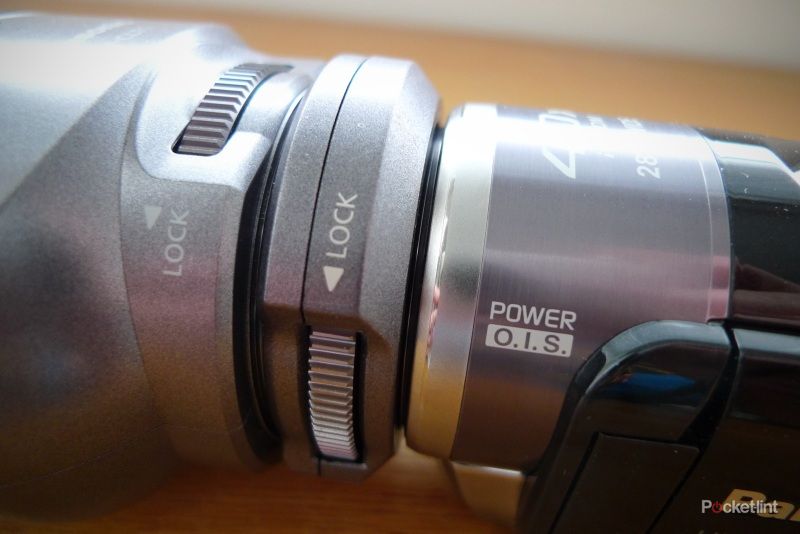
To film in 3D, you'll need to use the VW-CLT1 3D lens which adds a further £280 to the price. The dual-lens add-on screws on to the SD90 using a supplied adaptor. This takes a while and although relatively straightforward, did prove to be a tad fiddly. Measuring in at 78 x 59 x 97mm, and weighing 195g, the lens is a bit of a beast and makes the camcorder feel rather heavy when attached. The fact that it weighs down the front of the camcorder also makes it feel slightly precarious, as if it might overbalance at any moment. Set-up is fairly straightforward, with onscreen prompts guiding you through the three levels of 3D calibration, using the dials under the flip-up panel on the 3D lens. It's can be a little tricky to set these accurately as you need to keep the lens as still as possible while you calibrate it. We actually had to do this a few times before we got the hang of it (and managed to keep the lens still enough).
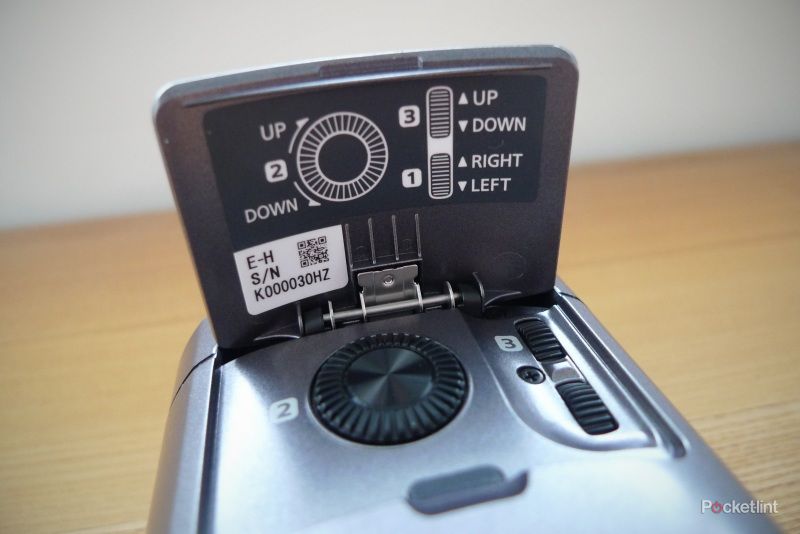
When you're filming in 3D, zooming is off the menu as are most other functions, although you do still get autofocus and stabilisation. The dual lenses record two 2D images side-by-side, which is what you'll see if playing the video back on the camcorder on any non-3D screen. To play back the footage you can either hook up to a 3D TV or view it on a PC using one of the various downloadable stereoscopic players that are available on the web. We uploaded ours to YouTube (here), where it can be viewed in 3D through the various settings that YouTube offers - unfortunately we can only embed in 2D side-by-side as below.
We found that the 3D pictures we recorded contained a fair bit of noise and were a little on the dark side - not that suprising given the tiny size of the lenses and the small amount of light that can get through. The fact that most of the shooting features are disabled also means that there's little scope for tweaking the footage.
To recap
This is a great sub-£500 camcorder with lots of features and flexibility resulting in high quality footage. The 3D element is interesting, but could be better