
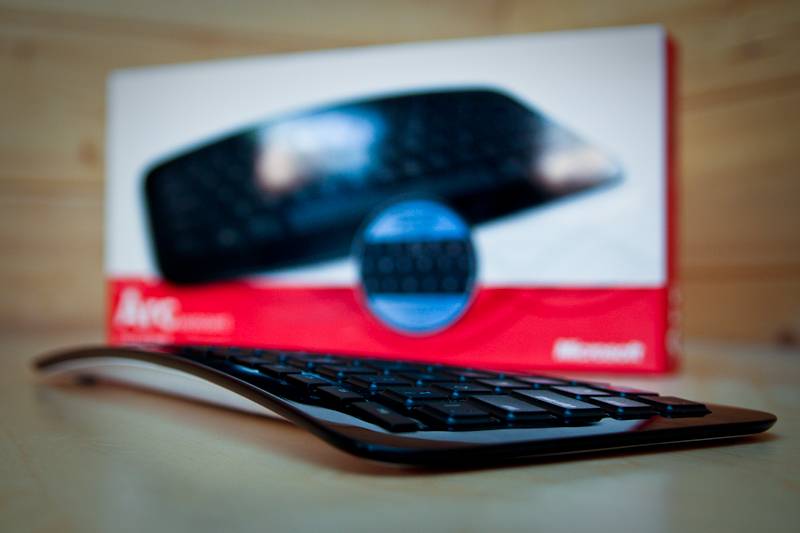
Microsoft's Arc keyboard takes a very different approach to typing than your regular bog-standard offering. But does that mean that it's a better, more comfortable, experience? We put it to task writing news and reviews for Pocket-lint to find out.
Our quick take
While the small footprint of the Microsoft Arc makes for a great portable keyboard we aren't so sure about the whole package. Some will immediately read that to mean that we struggled to get to grips with the arc/curved design and that has therefore tainted our view of the overall experience.
That isn't the case. Yes it's uncomfortable at first, and for some it won't be comfortable in the long run, but we're okay with that. It works, and you just get used to it. It certainly isn't as crazy as the company's ergonomic split keyboard of the mid-90s.
For us though, the lack of dedicated arrow buttons and basic playback buttons is the most frustrating thing. Combine that with a build quality that isn't what we would expect from Microsoft and a lack of USB socket to attach a mouse and we are left wanting more.

Microsoft Arc keyboard - 3.5 / 5
| FOR | AGAINST |
|---|---|
|
|
There is a reason the Microsoft Arc Keyboard is called the Microsoft Arc, and that's because of the arc in its design. That doesn't mean you're buying something that looks like a banana, but one that raises upwards in an arc shape as you get to the centre of the keyboard.

What that means in the real world is that the "G" and "H" keys are considerably higher than the caps lock and return key. The idea behind this is to fit the natural slant in your hands in the same way that you hold a mouse, and yes as you can imagine that change in hand positioning, although slight, is uncomfortable at first. It's as if your hand is about to fall off the keyboard, and is a very strange feeling.
So what do you get? The keyboard loses out on a separate number pad to make sure that it achieves that arc shape. Shortcut keys are virtually non-existent, with really only volume controls getting a look in. Unlike Microsoft keyboards in the past there is no irrelevant "open mail" or "open browser" buttons but disappointingly no multimedia playback buttons either.
No this is a keyboard designed to be small, easy to carry around and dedicated to one cause and that's typing.

In its move to pack the keys in to what is really quite a small space, a number of the keys have a double purpose. There are six "F" keys with a further six if you press function. The arrow keys have had to be manipulated too. Instead of four standard keys, you now get a stiff single d-pad style key. It works, but for those who are big users of the arrow keys (as a writer I am one of them), then it's very off putting and very uncomfortable.
Typing is, once you get over that initial "it's curved" aspect, fairly good. There is plenty of travel on the keys giving them a definite punch to them and the chiclet design makes typing clean and unfettered.
Style-wise, the gloss black colouring is smart although the build quality isn't that great. Our test unit was wobbly on its feet at first, but this was soon fixed by grabbing the keyboard and flexing it in the opposite direction. A bendy keyboard with plenty of give in it isn't really what you want.
Powered by two AAA batteries the Microsoft Arc is connected to your PC or Mac (no software required, however Mac users will hate the Windows key icon glaring at them), via a miniature dongle that has clearly been designed to stay in place once you've plugged it in to your computer. When it does come to transporting it around, there is a magnetic well around the back that keeps it safe.

The wireless design makes for a cleaner desk, however it's also worth noting that with no USB sockets on board you can't connect your mouse to the keyboard. The upshot of this is that you'll lose another USB socket on your computer. Not a biggie, but if you've only got two sockets on your laptop, it's something worth bearing in mind.
To recap
Surprisingly the curved design isn’t the issue here, it's other elements that make this hard to use