
If you spend plenty of time at your desk then you need a good mouse. You might be able to get them for a couple of quid, but a good mouse is like a good pair of shoes; they will stand you in good stead. Microsoft's latest offering promises to do just that, provide you with a good mouse for working with, but does it? We get scrolling and clicking to find out.
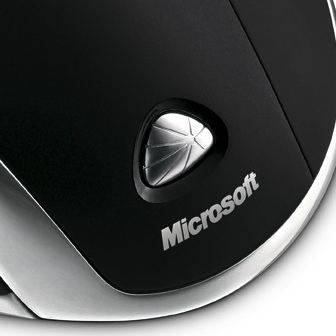
The Microsoft Wireless Laser Mouse 7000 is a right-handed mouse with a low profile, a number of buttons that are all customisable and of course a four-way scroll wheel in the centre.
Lightweight, it's a very different sculpting to Logitech's MX Revolution offering priced also around the £50 and will no doubt suit some but not others. Personally compared to my Logitech MX revolution it was a little on the flat side with my two furthest right fingers trailing off the mouse rather than cupping it like a ball.
When not in use the mouse snaps onto yet another low profile accessory, this time the charger and it's easy to use although does take up more desk space than a vertical offering.
Connection is via a small USB 2.4GHz wireless dongle and set-up without the use of software is as easy as plugging it in. You can use the Laser 7000 on both Mac and PC without the software if you can't be bothered, however using it with the software will give you extra features and more control.
Those extra features boil down to two main elements and include being able to access Vista's Flip 3D feature or Expose on the Mac with the press of a button, or the ability to magnify the screen when needed. The PC version allows you to hone in on a part of the screen while the Mac offering just lets you zoom into the whole screen (you can do this with any Mac by holding Ctrl and scrolling your mouse wheel). Alternatively you can opt to have the five buttons programmed to what you want.
Our quick take
The software and mouse perform well with a good level of sensitivity (it can be turned down if is too sensitive) and comfort, the rechargeable option over the Microsoft Wireless Laser Mouse 6000 is worth the extra cash, if merely to save you the bother of buying batteries.
Do we prefer it over our MX Revolution? Not really. The scroll wheel never seemed to give us enough scroll and the additional tog wheel and search button as found on the Revolution were surprisingly missed.
The Microsoft Laser 7000 is a good mouse that performs well, it’s just there are better and more feature-packed offerings on the market for the same price.

Microsoft Wireless Laser Mouse 7000 - 4.0 / 5
| FOR | AGAINST |
|---|---|
|
|
To recap
The Microsoft Laser 7000 is a good mouse that performs well, it’s just there are better and more feature-packed offerings on the market for the same price