
Microsoft has created a new Bluetooth-enabled mouse for laptop users, but is it small, compact and easy to use? We get clicking to find out.
Like other manufacturers Microsoft realise that using a trackpad or "nipple" to control your pointer on the go isn't the most ergonomically friendly of options, so with that in mind, in steps the Microsoft Bluetooth Notebook Mouse 5000 that offers the usual array of buttons along with a simple by comfortable ambidextrous design.
Unlike Logitech there are no extra button functionality, like fast scrolling, or built-in search, although that means performance isn't hindered for the four buttons (left and right click, forwards and backwards) or the scroll wheel with left and right support on board.
Setup on both an Apple Mac and PC was incredibly easy and Microsoft has, rather than opt for 2.4GHz, gone with Bluetooth.
The upside is that there is no dongle to worry about, but the downside is that to use the Microsoft Bluetooth Notebook Mouse 5000 you must have a laptop with onboard Bluetooth built-in.
In use and the surprisingly high sensitivity of 1000dpi means this model is zippy without too much movement - a must have to travellers always short of desk space.
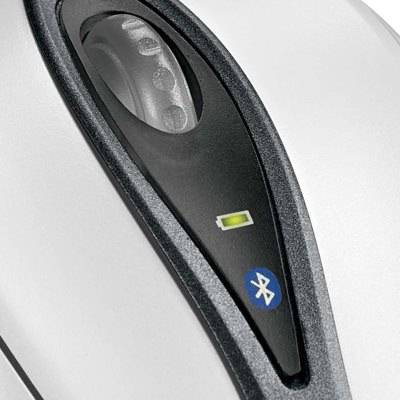
Power is supplied by a pair of included AAA batteries and Microsoft reckon you can get around 3 months use from one set of batteries. Luckily there is a battery life indicator that glows when its time to change them.
Our quick take
If you are looking for a mouse to use on the go and want something that is small, ergonomically sound and comfortable to use then you can't go wrong.
With the majority of new laptops coming with Bluetooth built in, this allows you to ditch the dongle and the trackpad in one foul swoop.

Microsoft Bluetooth Notebook Mouse 5000 - 4.0 / 5
| FOR | AGAINST |
|---|---|
|
|
To recap
If you are looking for a mouse to use on the go and want something that is small, ergonomically sound and comfortable to use then you can't go wrong