27 January 2012 10:11 GMT / By Paul Lamkin
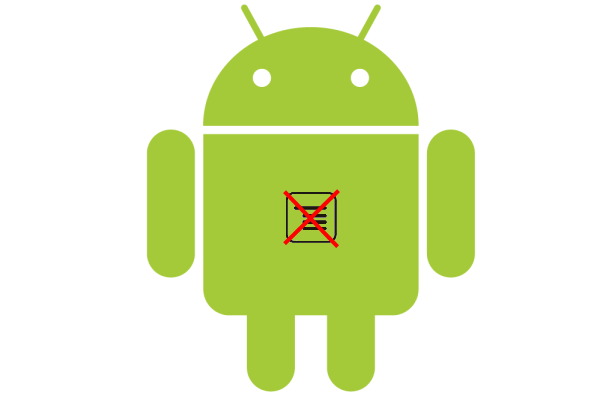
The menu button on Google's Android is all but dead and is to be replaced permanently by the action bar. That's the message from Scott Main, lead tech writer for developer.android.com, who has posted an article advising Android developers to change their ways.
"Honeycomb removed the reliance on physical buttons, and introduced the ActionBar class as the standard solution to make actions from the user options immediately visible and quick to invoke," he wrote. "In order to provide the most intuitive and consistent user experience in your apps, you should migrate your designs away from using the Menu button and toward using the action bar."
The menu button has already been ditched on some Android devices, such as the Ice Cream Sandwich packing Samsung Galaxy Nexus and, going forward, Google wants just three buttons on offer; back, home, and recent apps.
The action bar, that will now see more, er, action is a dedicated area that identifies the options available to the user on specific apps. It sits up top and will mean that Fandroids will need to get used to a new way of interacting with their favourite apps.
If the tasks in hand are too much for the action bar to take, users will see an overflow button on the bottom bar (three dots in a vertical row).
"This might seem like splitting hairs over terminology, but the name action overflow promotes a different way of thinking," explained Main.
"Instead of thinking about a menu that serves as a catch-all for various user options, you should think more about which user options you want to display on the screen as actions. Those that don't need to be on the screen can overflow off the screen."
Via: android-developers.blogspot.com
Android, Google, Phones, Tablets


Samsung Galaxy S Plus Last year's phone, this year's performance
Honeycomb: What devices are Android 3.0 ready? UPDATED (19/9): The new Google OS kit
iPhone 4S vs Samsung Galaxy S II Can Apple defeat Android?
Nokia: Youths are fed up with iPhone, baffled by Android EXCLUSIVE: We offer something different
Sony Ericsson Xperia Mini Pro A big improvement
First Look: Olympus OM-D E-M5 Full of features, full of promise
Pokemon Yellow on iPhone is massive scam... how did it get Apple approval? Unofficial and broken
Panasonic Eluga pictures and hands-on Waterproof goodness
Sky Go Android app now available for selected phones UPDATED: Other handsets and ICS on the way
BlackBerry PlayBook 2.0 update landing 21 February claims leaked document Email and Android apps inbound
Jaguar XKR-S convertible A super-cat
Dyson DC38 Multi Floor You'll clean up
Canon PowerShot G1 X DSLR-beating compact?
GREE teams up with Gameloft and Ubisoft for European social gaming assault Assassin's Creed 3 tie-in announced
Windows 8 logo: It’s a window… not a flag New brand for a new OS
Apple: Nearly 25 billion apps downloaded $10,000 prize up for grabs
Panasonic Eluga Android smartphone: First details Coming in spring
Sony's new TVs put design and picture quality first... pictures and hands-on 3D and Smart too, but not essential
Sky Go for Android video, pictures and hands-on Live streaming
iPad 3 to come packing A5X chip and Retina display 2048x1536 resolution on board?
Sony PlayStation Vita review
Curriculum Vita
Nokia Lumia 710 review
WP7 on a budget
HTC Explorer review
A phone for people who make calls
First Look: Olympus OM-D E-M5 review
Full of features, full of promise
BlackBerry Torch 9810 review
Middle of the road
BlackBerry Porsche Design P'9981 review
For the fast lane
BlackBerry Bold 9790 review
To boldly go where we've already been before
Sony Alpha A65 review
Affordable SLT. But is it a DSLR-beater?
Fiat 500 TwinAir Plus review
Two-cylinder beast
Motorola MotoACTV review
Just add exercise
Motorola Xoom 2 Media Edition review
Mini Xoom
Fujifilm X-S1 review
The shining star of the superzoom world?
Sony Ericsson Xperia Active review
Can take abuse
Sennheiser IE80 review
Tune that bass
Kingston Wi-Drive review
Expand your storage