
Google has come a long way since it was first founded back in 1998 and has become a byword for internet searches.
But, beyond chucking a couple of words into the main search box, do you really know how to get the best out of it? We've done some research and put together a few tips on how to get Google to do even more of the work for you.
Google search basics
If you've got no intention of spending hours studying the ins and outs of every search option on Google then don't worry. As long as you know the basics, then you should be able to save yourself a lot of time without having to delve too deeply.
Spelling - Even if you're not the world's best speller, it doesn't matter as clever old Google will do the hard work for you. If you don't spell a word correctly, Google will automatically switch to the most common spelling for the jumble of letters that you've typed in.
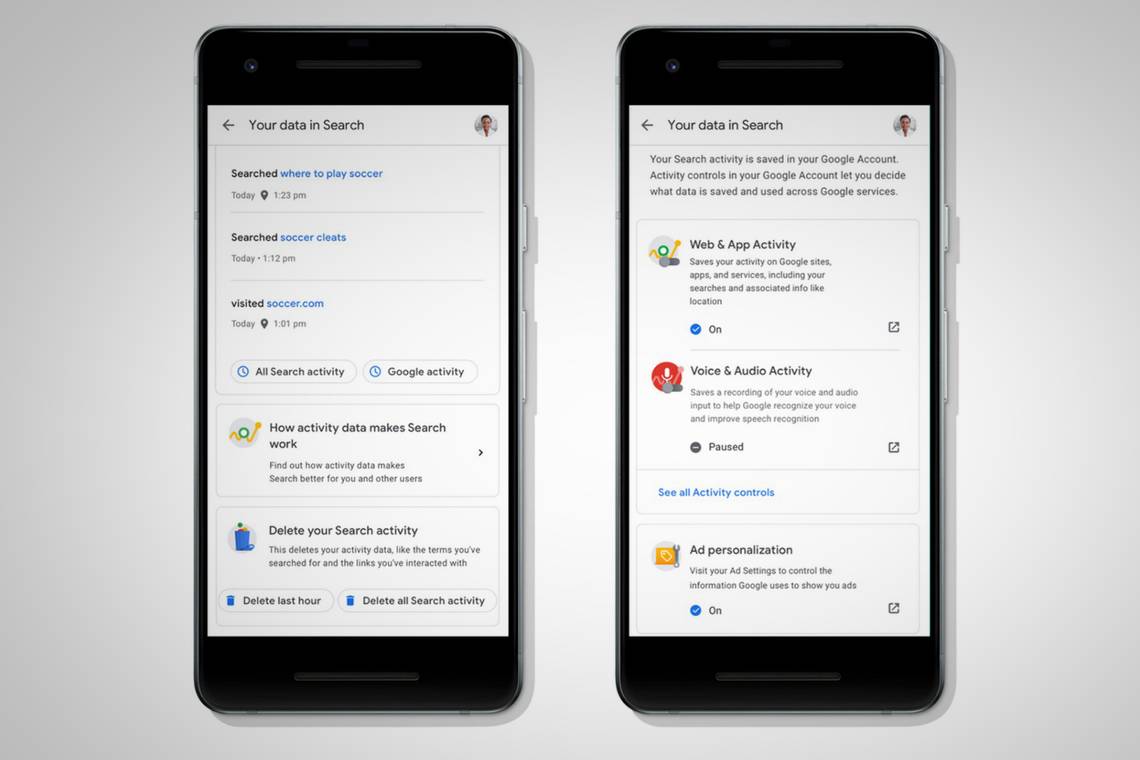
Web history - For many, the idea of anyone having access to their search history may well be enough to bring them out in a cold sweat and cause them to hit the 'delete history' option at the first available opportunity. But, unless you have anything truly incriminating on your browser cache, it's wise not to be too hasty. Giving Google access to your web history means that Google will spot trends in your web history and offer tailored results according to what you searched for and which sites you've visited before. This will also help you to find any good websites that you've previously stumbled upon but are now unable to find again.
If in doubt, keep in general - As with many things in life, the best advice is to keep things simple. If you're looking for a stationery shop that you know of, but you're not exactly sure what's it's called, then you're better off just typing stationery shop and the town or road name, rather than trying to guess at the name. Chances are this will bring up what you're looking for or give you a list of shops in that area and you can go from there, whereas misspelling (or 'misremembering') the name of the shop might not get you very far.
Web-friendly words - Try to use web-friendly words where possible, by thinking about how the information you're looking for would be written on the web. If you use a word that's correct but not the most commonly used term for what you're looking for then you might not get as many results as you'd expect. So, searching for a fish and chip shop in your area is likely to get you more results than if you typed in takeaway cod while searching for celebrity gossip will get you better results than typing in news about famous people.
Keep it short - Start off using as few words as possible, then add words to refine your search if need be. If you add more words than you need to, then your results may prove to be too narrow and you might miss what you're looking for.
No punctuation needed - If the use of apostrophes and commas isn't your strong point, then don't panic; Google doesn't recognise punctuation marks so even if you do type them in, they'll be ignored. Similarly, the search function isn't case sensitive so there's no need to worry about whether you should be using upper or lower case letters.
Get Fast Facts
Moving on from the basics brings us to Fast Facts - a very useful aspect of the Google search offering but possibly the least well known. The idea is that you can type certain search criteria into the box and the results will be displayed instantly at the top of the page, as well as all the usual pages below which you can click through to if you choose.
Conversions - Google will convert pretty much any unit of measurement - all you need to do is type in the unit and measurement, such as 5 km to miles, saving you from having to search for a conversion site and type the info in there.
Stock information - You can also search for real-time stock information using ticker symbols - such as APPL for Apple - and click through to Google Finance for more detailed information.
Calculator - Number crunchers can also use Google to work out maths equations by typing them into the box - Google can cope with anything from simple sums like 2+2 to more complicated equations. It's also easy to convert currency by just typing 10 dollars in British pounds, or whatever it is you want to convert.
Dictionary - Possibly the most useful Fast Fact option is the dictionary function. Rather than digging out your copy of the Oxford English Dictionary, you can simply add define: in front of any word in the search box and Google will automatically tell you the definition.
Track packages - You can also track parcels from UPS and FedEx by typing the tracking number into Google.
Advanced Google Search tricks
There are lots of extra parameters that you can use in the search box to narrow down your search. It's worth taking the time to see what's available as it could end up saving you a lot of time in the long run.
Filetype - If you're after a specific document then it's worth knowing that you can search for PDFs, PPTs, or XLS files, by adding filetype: and the 3-letter file abbreviation after the title - for example searching for Declaration of Independence filetype:pdf will find you a handy, printable document of one of US history's most important documents, saving you a trip to the local library or the National Archives.
Missing words or letters - If you're searching for something that you don't know all the words for then Google will help you to fill in the blanks. All you need to do is use an asterisk (*) in place of any missing words or letters and the search engine will find the answer for you - a godsend for working out pesky song lyrics and completing especially challenging crosswords.
Exact quotes - If you do know exactly the words you're looking for then putting them within quote marks will refine the search. For example typing a direct quote from a book "it was a bright cold day in April, and the clocks were striking thirteen" will only bring up pages where it's written exactly the same, missing out on sites where it's misquoted. However, there is a danger of being too precise and accidentally excluding relevant results. For example, if you type "george orwell", then your results may miss out on pages where the author is referred to by just his surname.
Related sites - If you find a website that you like, then typing related: followed by the website URL should locate some relevant sites for you, saving you from repeatedly googling the same thing over and over. You can also search for something within a specific site, or type of site, which is good news as many sites' own search functions are very clunky. To do this, just type site: followed by the type of site (such as .org .biz) or the site name. For example, site: org or site: washingtonpost.com followed by your search term.
Highlight essential words - Google will usually ignore words like 'and', but if they're essential to your search then you can highlight them by putting a + sign in front of them. Using + and - signs, you can also highlight specific words that you do or don't want to feature in your results. For example, you could search for a recipe for chicken caesar salad without anchovies by typing caesar salad recipe +chicken -anchovies.
Search within a range - You can look for numbers within a certain range by putting ... between amounts, for example, Samsung Blu-ray player £100...£150. This is particularly handy if you're on a limited budget and you don't want to waste time searching through items that are way too expensive. You can also just type £100... to look for anything above that amount with no top limit.
Words meaning the same thing - You can include synonyms in your search results by placing the ~ sign in front of your search term. For example, best Christmas ~gifts will return results for presents and tokens as well as 'gifts'.
Filter your image search - You probably already know that you can also search for images, but trawling through millions of pictures can be tedious. Google lets you refine your search. As well as filtering by colour and image size, you can also whittle the selection down by only including photos including certain elements such as faces.
Instant results - Google Instant is the feature that brings up possible results while you're still typing your query.
Fill your schedule with nearby events - Simply search for [events near me] or for a specific event type ([dog meetup], perhaps?) and you’ll see listings for local activities from around the web.
Movie Showtimes and Tickets - When you’re in the mood for a movie, Search brings together showtimes, cinema locations, and ratings all in one place.
Recipe Search - If you’re looking for a recipe in a pinch, just search on mobile for whatever you’re craving (say, chicken parmesan) and you’ll see a carousel of recipe suggestions.
Live sports scores - For everyone from the fervent fantasy football aficionado to the casual fan, Search makes it easy to stay up on the latest scores. Type in the name of your favourite team or league, and get relevant real-time scores and recaps from recent games.
Styling and shopping help from Google Images - When you're exploring style ideas or browsing for your next buy with Google Images, images of products that are available to purchase are marked with "product" in the Google app on Android and in your mobile browser. These include price, reviews and availability, making it easier and faster to visually research and shop.
Find your next job - Now available in more than 100 countries around the world, you can search for jobs right on Google. For example, you can search for [jobs near me] or [retail jobs] to get relevant positions that match your skills. Jobs come directly from employers and career sites across the web, and you can save jobs, map your potential commute and click through to a third party website to apply.
Calculate the tip and split the bill - You can use Google to calculate your tip when you’re in a restaurant. Simply search for [tip calculator], enter the cost of your meal, and the percentage you want to tip. You can even ask Google to help you split the bill evenly with your friends.
Convert cash - If you’re heading out on a trip, here’s a tool that makes a ton of cents - you can get real-time currency conversions right on Google. Search for something like [£500 in euros] and you’ll get a box with the current exchange rate and an interactive graph of the change over time.
Quick access to appointments, flights and more - Search can help you find information about your upcoming plans in a snap. If you’re logged into your Google account, searching for “my trips” or “my appointments” will show you (and only you!) relevant results about upcoming flights, hotel reservations and your schedule from Gmail and Google Calendar.
Get the numbers about your food - You can search for nutritional information and find out the number of calories in your everyday foods. For example, you can ask “how much fat is there in chocolate cake?” and Google will break down the nutritional stats for you.
Ask complex multi-part questions - You can ask Google “compositional queries” that require us to solve the first piece of the question before addressing the second part. For example, if you search [when were the members of NSYNC born], you will (feel old and) see the birthdates of Justin, JC, Chris, Lance and Joey.
Search with an image - Upload a photo to Google Images to find the same or similar photos on the web. Click on the camera icon in Google Image search and Google will also tell you the origin and other details about the photo.
Advanced Search - If all of these tricks still don’t get you what you need, you can use Advanced Search to specify terms you want to exclude or only find pages that are in the languages, regions, sites, or file formats you want.
The best Google UK Search Easter eggs
Flip a coin - (query [flip a coin]) - Google flips a coin for you
Pacman - (query [pacman]) - Play the Pacman Doodle
Roll a dice - (query [roll a dice]) - Google rolls a dice for you
Barrel Roll - (query [do a barrel roll]) - browser does a flip
Zerg Rush - (query [zerg rush]) - play the game, click the dots before they destroy results
Once in a blue moon - (query [once in a blue moon]) - formula for the frequency with which a blue moon occurs
Askew - (query [askew])
Results are tilted - (also works for [tilt])
Atari Breakout in Image Search - (query [atari breakout]) - play Breakout it in Image Search
Google Gravity - (query [google gravity] into the search bar and then “I’m feeling lucky”)
See what Google looked like in 1998 - (query [google in 1998])
Blink HTML - (query [blink html]) - the words blink
Bletchley Park - (query [bletchley park]) - the name of the place appears as a series of letters as a nod to this being the location of British codebreakers
Conway’s Game of Life - (query [Conway's Game of Life] - yields a life simulation. Conway's Game of Life is a zero-player game that uses a set of rules to evolve from its initial state. Google's Game of Life evolves to spell Google (if you watch it for a while).
Solitaire - (query [solitaire]) - play computer favourite Solitaire
Tic Tac Toe - (query [tic tac toe]) - play Tic Tac Toe
Snake - (query [play snake]) - play the classic mobile game Snake
Animal Sounds - (query [animal sounds]) - play different animal sounds
Spin a Dreidel - (query [spin a dreidel]) - spin a dreidel in the homepage
Spinner - (query [spinner]) - spin a number wheel
Fidget Spinner - (query [fidget spinner]) - spin a fidget spinner
I’m Feeling Curious - (query [i’m feeling curious]) - find out the answer to a random question
Color Picker - (query [colour picker]) - find the details of an exact colour
Random Number Generator - (query [random number generator]) - generate a random number
Breathing Exercise - (query [breathing exercise]) - regulate your breathing
Internet Speed Test - (query [internet speed test]) - find out how fast your internet is
Festivus pole - (query [festivus]) - pole appears on the left-hand side of the screen
Is Google down? - (query [is Google down?]) - Google will tell you if it’s down
I’m a teapot - google.com/teapot leads you to a short and stout error page
Marquee HTML - (query [marquee HTML]) - the results bar will scroll
Anagram - (we say “did you mean: nag a ram”)
Define Anagram - (we say “did you mean: nerd fame again”)
What is the answer to life the universe and everything? - (we say “answer is “42”)
Number of Horns on a Unicorn - (we say “answer is 1”)
What is the loneliest number - (we say “answer is 1”)