
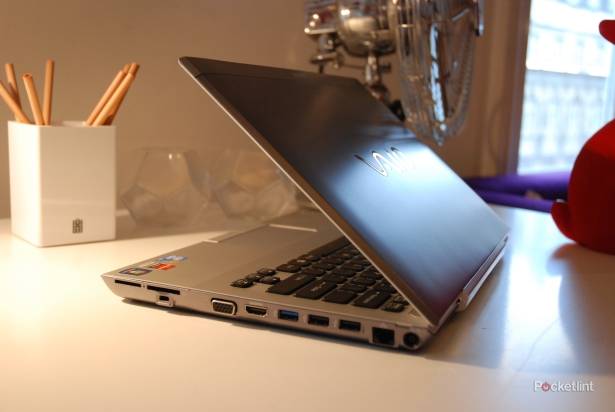
As ever, it's the more office orientated models that make the better Sony Vaios, and the Sony Vaio S series was no exception when Pocket-lint got hands on at the London launch.
Sitting next to the eye-piercing C series, the brushed aluminium body of the S is a masterpiece of understatement but then we know this with the likes of the Vaio Z from years gone by as well. At 13.3-inches and 1.75kg it feels like the perfect home and portable device and comes complete with an optical drive to fit the billing.
The most interesting part of the proposition is that you can buy an extender battery which is a flat add-on that's the same size as the base of the machine. The idea is that you strap it on when your first 7 hours of power runs down and it'll bring you the same again, so long as you've remembered to charge it up which you can do while attached to the laptop and the laptop is attached to the mains, or independently of the computer if you prefer.

It'll even do so in a smart way if both the primary and secondary batteries are hooked up filling the former to 80 per cent, then the latter to 80 per cent and then by topping up what's left.
Under the hood, there's an Intel Core i5 processor, 4GB RAM, 500GB of storage, hybrid graphics, backlit keyboard and ambient light sensor and VAIO "everywair" 3G WWAN built in.
Users will also be able to save power by switching graphics modes thanks to the included AMD Radeon HD 6000 Series card (with either 512MB or 1GB VRAM) although it's a bit of an annoyance in that it's a manual selection rather than the automatic GPU decisions that we saw with the Vaio Z and its Nvidia Optimus technology.
The new Vaio S series slim, ultra-mobile notebook PCs are available from the end of March 2011.