
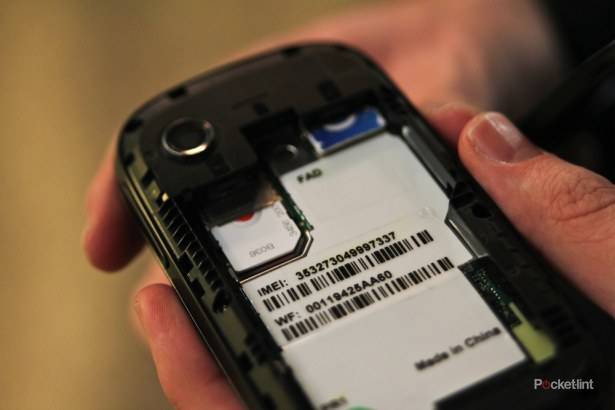
The ViewSonic is a dual-SIM phone designed for people that want two phone numbers in one phone.
Before you start to scratch your head as to why you might want this, there are a number of reasons.
The biggest one we can see, is that you can keep you regular number for when you are travelling, but use a second local SIM for data, allowing you to save loads of money on expensive roaming costs. In fact ViewSonic believe heavy users would easily get their money back in around “2 – 3 months”.

“Both products have been designed to enable users to easily access both their work and personal life via just one device,” claims ViewSonic giving you a second reason to use the phone if you aren’t just travelling around the globe or across European boarders on a daily basis – Swiss readers we are looking at you.
On the tech specs front, the phone has a 3.5-inch HVGA touch capacitive screen and comes bundled with a 5-megapixel auto-focus camera, 3G, Bluetooth 2.1 and assisted GPS navigation and runs Android 2.2
So how do you use that Dual-SIM functionality? ViewSonic has customised the Android dial pad to not only show you the number pad, but also to let you select which SIM to make the call from.

It’s a simple but clever idea, and before you ask, no you can’t phone yourself. In fact if you are on one line and the other line calls you’ll have to drop one of the calls to take the other.
Within the settings you’ll be able to set the default data network or if you’re worried about any bill, disable the data connection entirely.
The phone also features a clever idea that enhances Android’s ability to let you switch the home page based on where you are. While some phones offer the chance to manually switch the home page, or a business focused one showing different widgets for the different environment you’re in.
That could mean more entertainment focused apps on your home screen when you are at home and more business ones when you are at work. Or as our ViewSonic spokesman told us the ability to have Wi-Fi on at home and not when at work.

Where ViewScene, that’s the name ViewSonic has given this feature differs though, is that it can be set to automatically change based on your geo-graphical location using the phones GPS.
Get to work and your phone will look different and hopefully be more useful. Clever.