
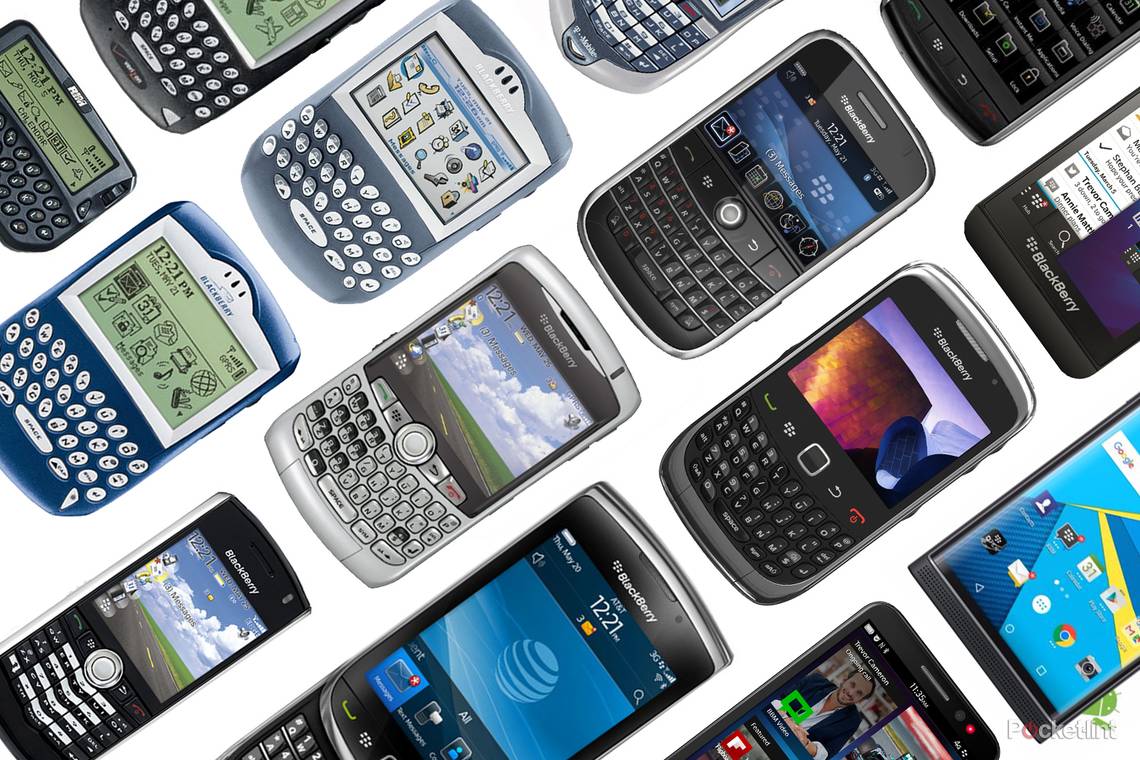
BlackBerry was born on 19 January 1999, with the release of the BlackBerry 850. In the immediate years that followed, the brand grew exponentially, offering something all its competitors couldn't touch: Emails on the go. In its heyday, it offered some of the best smartphones on the planet.
Even if you didn't own a BlackBerry yourself, you can bet your bottom dollar that you knew someone who did, or that you would at least see one in the hands of someone else on a regular basis. That physical QWERTY keyboard with its tap, tap, tapping could be heard in every train carriage and on every plane. It wasn't just about emailing on the go though. You also had BBM - BlackBerry's Instant Messenger service.
It might be all about WhatsApp now, but BBM had read receipts down donkeys years ago. It was yet another unique reason to buy a BlackBerry, appealing to a range of people, not just those in suits. Sadly, those days are gone, and while BlackBerry may still have handful of dedicated users, it's now effectively dead as a smartphone maker.
In 2016, BlackBerry announced that it would no longer be making devices of its own, with TCL picking up the license. In 2020, TCL's license ended only to be picked up immediately after by unknown entity, OnwardMobility. In 2021, OnwardMobility teamed up with the manufacturer, FIH Mobile, and announced plans to release a 5G BlackBerry. Sadly, OnwardMobility shut down, taking with it any plans to launch said phones and join the ranks of the best Android phones on the market.
Still, with the BlackBerry movie having premiered in May 2023, you might just want a trip down memory lane again, to remember the good times provided by the once-dominant smartphone manufacturer.
Enjoy looking back at some of the models from days past. Here's a non-exhaustive list of BlackBerry devices, from its origins to its last ever phone (probably).
BlackBerry 850

This was BlackBerry's first handheld device and it sat within the two-way pager category, along with a few others including the 857, 900, 950, 957 and 962.
The BlackBerry 850 was announced in 1999 with a screen resolution of 132 x 65 pixels, a thumb keyboard and a thumbwheel for scrolling.
BlackBerry 5810

The Blackberry 5810 was one of the early Java-based devices, offering a built-in mobile phone, even if a headset was required. It launched in 2002, aimed at businesses rather than consumers.
The 5810 ran on a 2G network and had a 160 x 160 pixel monochrome display. There was also the 5790 and 5820 in the 5000 series.
BlackBerry 6710

The BlackBerry 6710 was one of the 6000 series, also announced in 2002. It was one of the first to offer an integrated phone and featured a large monochrome display with a 160 x 160 pixels.
There was also the 6720 and 6750 in this series, all of which launched in 2002.
BlackBerry 6210

The BlackBerry 6210 arrived in 2003, along with the 6220, 6230 and 6280. These too had an integrated phone but they offered a medium monochrome display rather than large like the models launched in 2002.
Their resolutions stood at 160 x 100. There was also a 6510 model that had an integrated phone and integrated two-way radio. Navigation was via the side thumbwheel and these BBs were a common sight, as email really took to the streets.
BlackBerry 7290

The BlackBerry 7290 was one of the 7000 series, some of which were released in 2003, with a few more in 2004. They were the first colour models switching the monochrome display over to offer a medium screen with a 240 x 160 resolution or a large one with 240 x 240 pixels.
The BlackBerry 7290 was one of the first to offer Bluetooth, arriving in 2004. The 7270 also introduced WLAN 802.11b. Most of the models in the 7000 series had 16MB of storage - a little different from today.
BlackBerry 7100

The BlackBerry 7100 series consisted of several models, all of which offered what BlackBerry called a SureType keyboard. Rather than the traditional QWERTY keyboard, they had a QWERTY-like layout but used two letters per button, allowing the devices to become much slimmer.
The 7100 series were therefore a similar size to other competing devices on the market so they were the first main BlackBerry models pushed to consumers, rather than just businesses. They had 240 x 260 resolution displays.
BlackBerry 8700

The BlackBerry 8700 series models introduced in 2005/2006 added more consumer features, such as better displays. They came with large 320 x 240 pixel screens offering 65K colour depth.
These models featured the full QWERTY keyboard format, making them wider again compared to the 7100 series.
BlackBerry Pearl

The BlackBerry Pearl was the first BlackBerry to lose the track wheel for navigating around the display. Instead, it featured a mini trackball in the centre of its five-button wide keyboard and this was to revolutionise device navigation.
The 8100 was the first Pearl model and it arrived with a 1.3-megapixel camera, as well as microSD support for up to 8GB expansion, ringtones and a media player. This model, and the Pearl models that followed, all featured a 240 x 260 resolution display, but they upped their camera to 2-megapixels.
BlackBerry Curve

The BlackBerry Curve first arrived in 2007 with the 8300 (pictured). There were a couple of variations, most of which had a 2-megapixel camera, the trackball interface found on the Pearl and a 320 x 240 resolution display.
A couple changed things up a bit with a higher resolution display, as well as extra features. The Curve offered the wider format, with a full QWERTY keyboard and instantly found consumer favour thanks to its low price and wide range of smartphone features.
BlackBerry Pearl Flip

The BlackBerry 8220 Pearl Flip was announced in 2008 with a clamshell form factor. It had an internal display of 240 x 320 and an external display of 128 x 160 pixels.
The same trackball interface as the original Pearl series was present, along with a 2-megapixel camera, 128MB internal memory and microSD support up to 16GB.
BlackBerry Bold

The BlackBerry Bold range first arrived in 2008 with the 9000 model (pictured). It had a wider format like the Curve, with the full QWERTY keyboard, as well as the trackball interface. The Bold shook the BB world up, making a premium device that everyone wanted. The original Bold offered a leather back for that chic feel, and was probably the most iconic handset that BlackBerry produced.
The 9000 model came with a 480 x 320 pixel display, along with a 2-megapixel camera, Bluetooth, Wi-Fi 802.11a/g/b and microSD expansion up to 16GB.
BlackBerry Storm

The first BlackBerry Storm arrived at the end of 2008, featuring a clickable touchscreen but no physical QWERTY keyboard. This was the first time that BlackBerry had tried to move to full touch, with the iPhone starting to make waves. The Storm didn't go down a storm.
The 9500 model, pictured, had a 3.2-megapixel camera and a 360 x 480 resolution display. There was also 1GB of internal memory. In 2009, the Storm 2 arrived, 9550, with 2GB of memory, attempting to address the shortcomings of the original.
BlackBerry had tried to do its own thing with touch, and struggled to match rival offerings.
BlackBerry Tour

The BlackBerry Tour arrived on the scene in July 2009. It offered a 480 x 360 pixel resolution display for a pixel density of 250ppi and came with a 3.2-megapixel camera and microSD expansion to 32GB.
There was also a trackball interface like the Curve and the Bold.
BlackBerry Bold (9700)

BlackBerry updated the Bold range at the end of 2009 with the 9700 model and twice in 2010 with the 9650 and 9780. The trackball was replaced with a trackpad and the display resolution jumped up to 480 x 360 pixels to move from 220ppi to 250ppi.
The 9700 and 9650 models offered a 3.2-megapixel camera, while the 9780 that came at the end of 2010 had a 5-megapixel autofocus camera.
Although the optical trackpad was a good enhancement over trackball that was prone to failure, there was growing rivalry from powerful touch devices and complaints about the lack of apps.
BlackBerry Pearl 9100

BlackBerry launched an update to the Pearl in 2010, bringing the optical trackpad found on the newer Bold to the smaller-format device.
Like the original Pearl, the 9100 featured two letters per button to allow for the slimmer build. This model had a 3.2-megapixel camera and microSD expansion of the 2GB memory up to 32GB.
BlackBerry Torch

The first BlackBerry Torch launched in 2010 with the 9800 model (pictured). It featured a large touchscreen offering a 480 x 640 resolution for a pixel density of 250ppi, which could slide up to reveal a full QWERTY keyboard.
There was a 5-megapixel camera on board, as well as an optical trackpad. The Torch was updated a few times in 2011 with the 9810, 9850 and 9860 but not much changed except the an increase in display size and resolution.
The Torch was supposed to address all needs, with that BlackBerry keyboard and a large touch display with media capabilities. By this stage, however, the touchscreen experience elsewhere was far superior.
BlackBerry Curve 9300

Just as the Pearl was updated, BlackBerry also updated the Curve model in 2010, introducing the optical trackpad found on the Torch in the 9300, as well as a 2-megapixel camera with video recording.
The Curve was still popular because it was compact, capable and a great handset for messaging. With data still being expensive, the Curve was a great way to communicate.
BlackBerry Style

The BlackBerry Style launched at the end of 2010 featuring a flip design. The internal display had a resolution of 360 x 400, while the external display had a 240 x 320 resolution.
When open, users had access to a full QWERTY keyboard, along with an optical trackpad. There was also a 5-megapixel camera on board.
BlackBerry Bold Touch

The BlackBerry Bold Touch arrived in the summer of 2011. It offered the optical trackpad, a full QWERTY keyboard and a touchscreen interface.
There was NFC on board, as well as a 5-megapixel camera and at the time, it was the thinnest BlackBerry available.
The Bold Touch stirred some passions again, offering a great keyboard, but a touch experience that was by this point on a display that just seemed too small for consumer needs.
BlackBerry Z10

The BlackBerry Z10 was the first model to feature the new BB10 operating system, arriving at the beginning of 2013. It had a 4.2-inch display offering a 1280 x 768 pixel resolution.
An 8-megapixel rear camera was on board, as well as a 2-megapixel front camera and it offered a battery life of 10 hours talk time. There was a dual-core 1.5GHz processor supported by 2GB of RAM running the show, along with 16GB of memory and microSD for expansion up to 32GB.
The Z10 was an interesting launch, although it was obvious that BlackBerry was now trying to launch an OS with full touch convenience and was facing an uphill struggle. When the Z10 launched, it already felt out of date.
BlackBerry Q10

The BlackBerry Q10 was the second BB10 device to arrive, launching in April 2013. It offered a 3.1-inch 720 x 720 pixel resolution display along with full QWERTY keyboard functionality.
An 8-megapixel rear camera was on board, along with a 2-megapixel front camera and it featured a dual-core 1.5GHz processor with 2GB of RAM and 16GB of storage.
BlackBerry's keen eye for materials showed again, with a lovely glassfibre weave on the rear of the Q10 giving a lovely feel. It was small and fun, but ultimately, the consumer world had moved on.
BlackBerry Q5

The BlackBerry Q5 followed the Q10 release, launching in June 2013. The full QWERTY keyboard was on board, along with a 5-megapixel rear camera and a 2-megapixel front camera.
There is a 3.1-inch with a 720 x 720 pixel resolution, a dual-core 1.2GHz processor, along with 2GB of RAM and 8GB internal memory.
BlackBerry Z30

The BlackBerry Z30 was released in October 2013, bringing with it BB10, as well as a 5-inch 720 x 1280 pixel resolution display.
It had a 2880mAh battery, 1.7GHz dual-core processor and 2GB of RAM with 16GB of storage. The Z30 was touchscreen only with no physical QWERTY keyboard on offer.
The BlackBerry Z30 was the biggest play for a direct competitor device to compete with the likes of Android, however in that environment, the lack of native apps stood it apart.
BlackBerry Passport

The BlackBerry Passport arrived in September 2014 to a huge mix of reactions. It was a Marmite device featuring a 4.5-inch square display with a 1440 x 1440 pixel resolution.
A 13-megapixel rear camera was on board, along with a 2-megapixel front camera and it had a 3450mAh battery, Snapdragon 801 processor and 3GB of RAM. It also went back to offering a physical QWERTY keyboard again.
At this point it was clear that BlackBerry was designing devices for its fans and the pitch turned very much back to business convenience, with BlackBerry playing on the strengths of its keyboard and enterprise solutions.
BlackBerry Classic

The BlackBerry Classic followed the Passport in December 2014, bringing back a similar design to the Bold, which was one everyone knew and loved. The Classic had a 3.5-inch display with a 720 x 720 pixel resolution and offered an 8-megapixel camera with a 2-megapixel front camera.
There was 2GB of RAM on board, as well as a 1.5GHz processor, but the main thing about this device, other than the physical QWERTY keyboard, was that it allowed users to download Android apps as well as BlackBerry apps.
BlackBerry Leap

Four months after the BlackBerry Classic arrived, came the full touchscreen BlackBerry Leap, moving away from the physical QWERTY keyboard. The Leap was the product of a new production agreement with Foxconn, seeing a cheaper touch device produced.
The Leap had a 5-inch display offering a 1280 x 720 pixel resolution, an 8-megapixel rear camera, 2-megapixel front camera and a 1.5GHz processor with 2GB of RAM. It came in black and white and it was the last BB10 device ever.
BlackBerry Priv

Priv was the moment it all changed for BlackBerry. It was the first Android device built by BlackBerry, and marked the beginning of the end for its own mobile platform.
It featured the full QWERTY keyboard hidden beneath a slide up display, along with an 18-megapixel camera, Quad HD display and the Qualcomm Snapdragon 808 processor.
As an Android device the Priv was packed with innovation. The format was perhaps a little large, offering that sliding action, but the Priv was a good handset.
BlackBerry KeyOne

Having decided it couldn't afford to keep its hardware division running, BlackBerry turned over its license to TCL, the same company that had reasonable success in reinvigorating the Alcatel brand. Its first phone, the KeyOne was a knockout for traditional BlackBerry fans.
It still ran Android, but - unlike the Priv - featured a non-sliding keyboard directly beneath the display. Its combination of rounded metal, and soft-touch grippy rear texture made it a joy to use, and its unconventional 3:2 4.5-inch screen was surprisingly sharp and clean.
Featuring a 3,500mAh battery and a Snapdragon 625 processor, it could almost go two days between charges, and accomplished most tasks with little effort or delay.
BlackBerry Key2

The follow up to the KeyOne was the last flagship - the Key2, and the aim here was to slim down the offering, making it more premium in looks, more durable and lighter. The keyboard was made noticeably bigger too, ensuring it was even easier to type on.
It kept the same 1080 x 1620 resolution 3:2 display, but bumped the processor power up to the Snapdragon 660 chip, with 6GB RAM and a long-lasting 3,500mAh battery.
Its dual 12-megapixel camera system on the back was new too, as was the rubberised, grippy finish. Its square edges made it not quite as pleasant to hold as the rounded KeyOne, but the right improvements were made elsewhere.
BlackBerry 5G - the phone that got away

In 2020, OnwardMobility won the license to produce the first 5G BlackBerry phone. It was expected to be an Android-powered smartphone and was originally planned to be released in 2021 but - after many a delay - OnwardMobility closed down, extinguishing any hope of a BlackBerry revival.