
Facebook has been around for a while, but chances are, you have no idea about the several hidden features buried within the social network.
It's easy to only use the surface of Facebook: You log on, check your notifications, send a few chats, post a status or a photo, then close it out. If you're feeling adventurous, you may dive into the Settings panel and adjust your preferences. But there's so much more you can do - and we're not just talking about the basic stuff like blocking or managing post privacy.
Here are a few tips and tricks really worth knowing, and keep checking back, as we plan to update this piece over time. Also, check out Pocket-lint's Facebook Messenger round-up for more handy tips and tricks.
1 Facebook tips and tricks
Find all of your government representatives
Facebook offers a neat feature that lets you instantly connect with anyone who represents the area where you live, through a feature called Town Hall. This includes everyone from the president or prime minister, all the way down to your local representatives.
- From Facebook on desktop, scroll down to the Explore section on the right side of the page until you find Town Hall. Click it, and then add your address. Afterward, you'll see every representative broken down into state and federal groups.
- From the Facebook app, click the More menu (three horizontal lines) in the corner of the app. Then, select See More and scroll down until you find Town Hall.
Check how much time you spend on Facebook
This is a mobile-only tip, but you can see how much time you're spending on Facebook as part of a recent push to help prevent people from becoming too addicted to Facebook. An important caveat, though, is that it's only going to tell you how much time you've spent on Facebook on the specific device you're using. So, if you're using Facebook on a desktop, that won't be factored.
- Click the More menu (three horizontal lines) in the corner of the app. Near the bottom of the list, you'll see a Your Time on Facebook tab (on iOS, you'll see Settings and Privacy > Your Time on Facebook).
Click that and you'll see the average amount of time you spend on the app per day, as well as the time you've spent on it each day for the past seven days. You can also manage your newsfeed preferences and set a daily time reminder that will let you know when you've spent a certain amount of time in the application each day.
Host a Fundraiser
Facebook has its own fundraising process on the site. You're able to choose between two types of fundraisers, depending on if you want to raise money for yourself or a friend or if you want to start a fundraiser for a non-profit organization like Hospice or the American Cancer Society.
- It's accessible through the Explore section to the left on a desktop or under the More section in the app. Simply click the Fundraisers tab and you'll be able to quickly start your fundraiser by setting your goal and sharing it with your friends.
Save for later
Facebook offers Save feature for desktop and mobile. It acts as a bookmark for items you find interesting such as links, places, movies, TV shows, and music. So, instead of saving items like those nummy videos for recipes to other read-it-later services, you can now use Facebook as a bookmarking service. Saved items can be accessed later for viewing, archived, or even shared with your Facebook friends.
- To access the Saved items on the desktop, click on the Saved feature on the left-hand side of your News feed.
- On mobile, click on the More menu (three horizontal lines) > Saved.
Profile video
You can take or upload a video of up to seven seconds to use as your profile video, rather than use a profile picture. They are public and can be viewed by anyone.
- To add a profile video from the Android app, go to your profile and tap your profile picture, then tap Take a New Profile Video or Upload Video. Then, tap the bar at the bottom of the screen to choose a thumbnail for your video, and tap Save or Use.
- To add a profile video from the iOS app, go to your profile and tap your profile picture, then tap Select a New Profile Video or Upload Video. Then, tap the camera icon in the corner to take a video.
Disable auto-playing videos
If you don't want videos on Facebook to automatically play in your News feed, you can simply disable the feature.
- Under the More menu (three horizontal lines) in the Facebook Android app, select Media and Contacts, then choose to autoplay videos over Cellular and Wi-Fi connections, just Wi-Fi, or never.
- Under the More menu (three horizontal lines) in the Facebook Android app, select Settings and Privacy, then choose Settings, and scroll down to Media and Contacts. From there go to Videos and Photos and toggle off Videos in News feed start with Sound.
Name pronunciation
Tired of people pronouncing your name wrong? You can teach them how to say it properly on Facebook.
- While editing your profile on the desktop website, go to "Details About You" to get started. From here, you can also add a nickname or maiden name for yourself to display with your profile.
Add a short bio
Facebook lets you create a short bio. It sits above your other profile information like city, work, and relationship status. You can edit it at any time from your profile page on the desktop site and mobile app. You can even make your bio completely out of emojis.
- From a desktop, go to your Intro area and click Edit bio.
- From the iOS app, go to your profile, select the area below your name and select Edit bio.
- From the Android app, go to your profile, tap the three-dot button, select Edit profile, and go to Edit Bio.
Hide your activity from friends
Your activity log lets you review and manage what you share on Facebook. For example, if you become friends with someone new, you can go into your Activity Log and hide the public story about you becoming friends with that person, among other things. Only you can see your activity log, but stories in your activity log may appear on your Timeline, in search, or in your friends' News feeds.
- To view your activity log, click the down arrow in the top-right corner of your Facebook menu bar on the web, and then select Activity Log.
- On iOS and Android, click the three-dot button next to Add Story/Create Story, then go to your Activity log.
From here, you can click the Filters on the left to review a specific type of story (ex: Your Posts, Photos). You can also search for stories and click a year on the right to see stories from a specific year.
See every photo you've ever liked
If you feel like taking a trip down memory road, then you can view every photo you've ever liked on Facebook with this handy trick. Simply type, "photos liked by me," into the search bar at the top of Facebook. The top option should be all the pictures you've liked on the app.
Prioritise who you see first
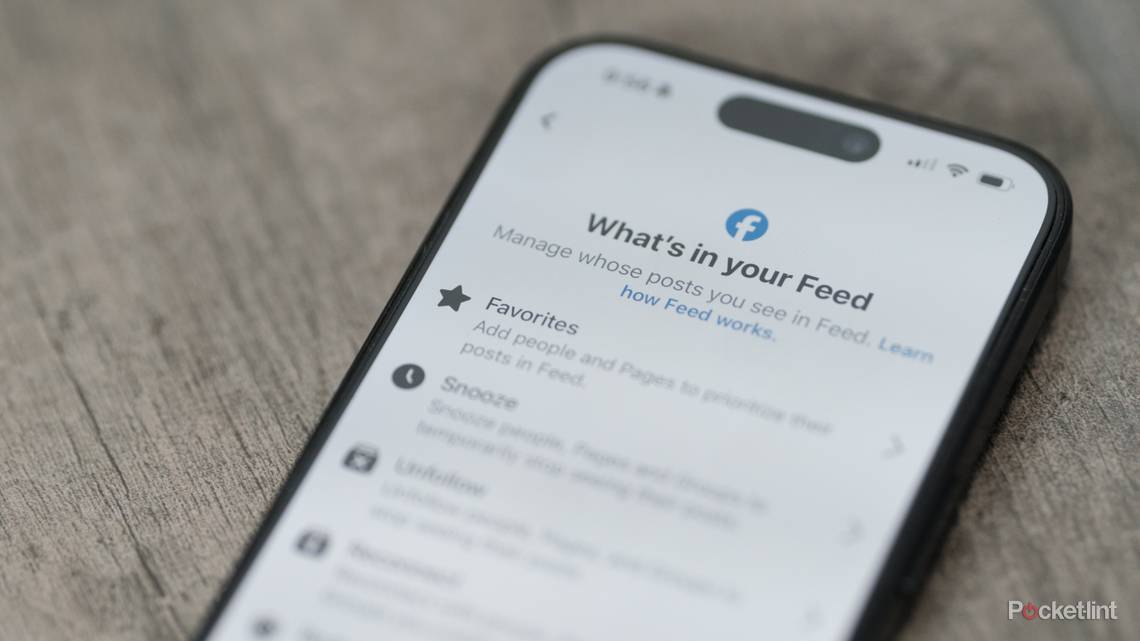
If there are people or pages you want to see first in your News feed, you can select them to appear first via the Facebook mobile app. Those you've marked to see first will have a blue star next to their posts in your feed.
- Tap the down arrow in the top right corner of the Facebook menu bar on the desktop, and then tap News feed Preferences to get started.
See your active sessions
Facebook shows you all active sessions - aka which devices are logging onto your account and from where. This is cool if you're curious as to whether an ex or a friend might be logging into your Facebook, or maybe you've left your account signed in on a device somewhere.
- From the Facebook mobile app, tap the More menu (three horizontal lines), then Settings, and finally, click Security and Login. There, you'll see all the devices with you currently logged in. Tap the "X" to remotely log out of any device.
- From your Security Settings on the desktop website, the "Where You're Logged In" menu shows active logins and lets you end them.
Have a Watch Party
Facebook has a Watch Party feature so that you and your friends can watch videos together on the app. It's easy to use and you can add videos to watch or select from different videos and playlists that Facebook recommends.
- Click on the Create a post area above your newsfeed, and then click the More menu (dots) underneath the text field. There, you'll see Watch Party with a little popcorn icon. Add the videos you want to watch to your playlist and then invite your friends to watch.
Enable two-factor authentication
Two-factor authentication helps ensure no one but you can gain access to your Facebook account, by asking for a security code when the app detects a login from a device you don't usually use. The security code can be sent to your phone by text or through an email to your account.
- To turn on two-factor authentication, go to your Security and Login menu under Settings from a desktop. There, you'll see a menu titled Two-Factor Authentication. Click Save Changes when done.
Unfollow or snooze friends
We all have that one friend who posts the rudest or annoying things on Facebook. Block that noise without unfriending, by simply unfollowing him or her. Friends won't know if you've chosen to unfollow them, and their content won't appear in your News feed. If you want to ignore a friend's posts for a short time, you can also snooze them which will hide their posts for 30 days.
- To unfollow someone, go to their profile on the web, hover over Following, and then scroll down to select Unfollow. You can also unfollow or snooze a friend from the More menu (ellipsis icon) that appears at the top right of their posts.
See friendship
This trick lets you see all the common posts and photos between you and a friend. But, with a quick hack, you can also see common stuff between two other people on Facebook.
- To see common stuff between you and a friend, log in to Facebook on the web, go to you a friend's profile, then click the ellipsis icon next to "message", and click "See Friendship". The URL in your browser will show: facebook.com/friendship/[your username]/[friend's username]
Get notifications from friends
If you want to keep tabs on a friend's Facebook activity, you can get alerted every time they share something. Seriously, like every time.
- Click the "Friends" drop-down from their profile on Facebook's desktop website, and then select Get Notifications.
Create individual News feeds
You can create groups within your list of friends, enabling you to filter between what everyone is talking about in your News feed. For instance, you may want to see what everyone from work is sharing or just your friends from home. Facebook creates lists of friends by default based on common affiliation, but you can create them too. It's like individual News feeds within Facebook for you to browse.
- On Facebook's desktop site, you can see all of your friends lists under the Explore section on the left side of the webpage. Just find and click the option labeled Friends Lists, and a new page will open showing you Facebook's smart lists. You will see a Create List option, too.
Unsubscribe from notifications
Commenting on a public post might result in an onslaught of notifications from other people commenting. You may not know that you can unsubscribe from activity on any post, however, which will stop you from getting a lot of stupid alerts.
- When you get a notification for a post on Facebook's desktop site, click the "X" to the right of the notification and then "Turn off". You can also turn off notifications for activity from the right drop-down arrow of any post.
Add contributors to albums
You can create an album and then add a friend as a contributor so that the two of you can populate the album. Who knew, right? This is especially handy for, let's say, a party album, where all your friends can upload the crazy pics from the night before.
- If you want to let other people contribute to one of your photo albums, tap "Edit" in the top right of Facebook's mobile app while viewing the album, and then select "Allow Contributors".
- From the desktop website, click the same edit button to add people as contributors.
Download Facebook data
You can download your information from your Settings. But because this download contains your profile information, you should keep it secure and be careful when storing, sending or uploading it to any other services.
- Click the down arrow at the top right of any Facebook webpage, then select Setting, and click Download a copy of your Facebook data below your General Account Settings. From there, click Start My Archive.
Find a movie
Facebook will show you all the movies and their showtimes currently in theatres near you, as well as allowing you to purchase tickets for some movie theatres right in the app.
- Scroll down the Explore section on the right from a desktop until you see Movies. From there, you'll see a list of all movies playing near you. Click on one of the movies to see trailers, showtimes, and buy your tickets.
- It's also accessible on mobile devices, by going to the More menu (three horizontal lines) at the top right of the app, then clicking See More and scrolling down until you find Movies.
Weather notifications
You can get updates on the weather through Facebook, but you have to enable them first. If you want, Facebook will even track your location so it can send you updates specific to where you are, making it perfect for keeping an eye out for storms during a road trip.
- On the Explore section from a desktop (or the See More section on a mobile device), scroll down until you find the Weather tab and click it. You'll be able to enable notifications on the bottom. While here, on mobile, you can adjust your preferences via the Settings cog up top.