
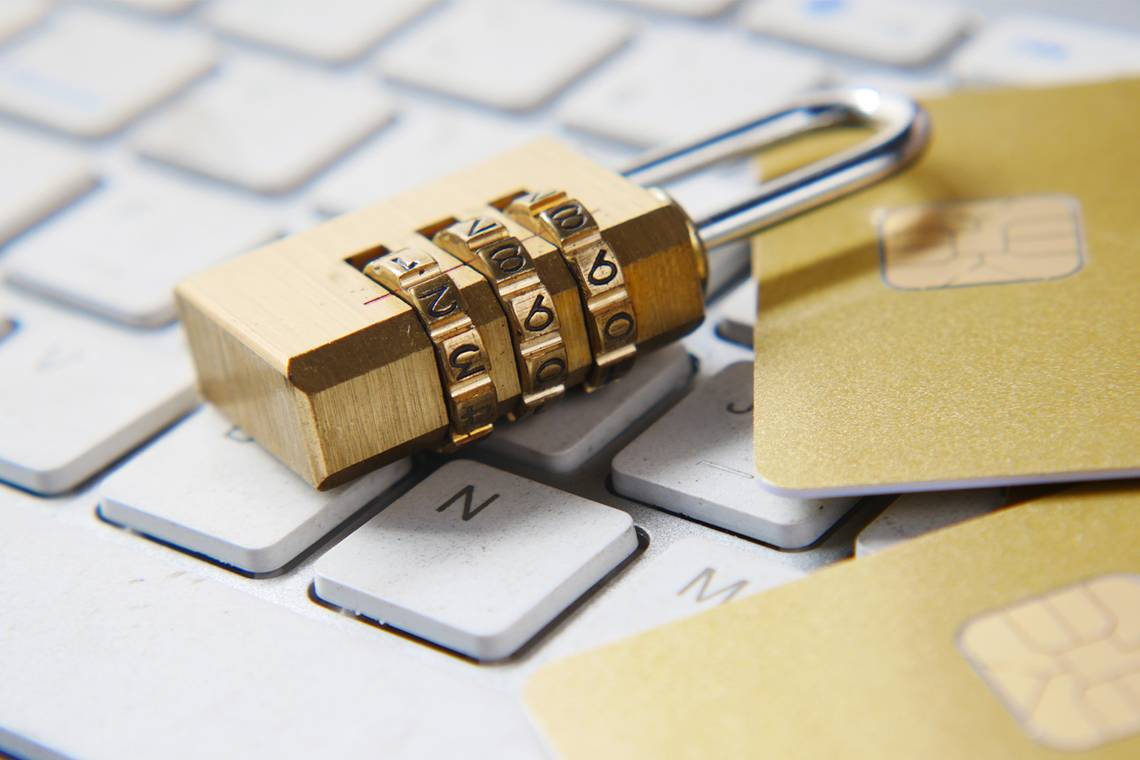
Choosing a good password for an account that you set up or refresh nowadays is only half the battle - with so many services that we all use, keeping track of all your passwords can be a nightmare.
To avoid relying on repeated passwords, and to mitigate the risk of being locked out, a good password manager can be a major help - a great tool to add to the likes of two-factor authentication. There are a whole bunch of options out there, though, some free and some paid, so we've gathered the best options for you to consider right here.


1Password
A really excellent solution that makes managing your password easy across devices.
- Simple to use
- Works on most devices
- Paid-for
1Password is one of the world's most popular password managers - and with good reason.
It's really easy to set up an account, and once you do so it'll remember all your passwords for you, let you generate passwords, and easily sign you into sites and apps.
For a long time, 1Password was really only viable for iOS and Mac users thanks to tight integration with Apple platforms, but it's taken leaps and strides to improve things for Android and Windows to the point of near-parity.
You can get extensions for pretty much all the major browsers to integrate it, and it has a bunch of great features, but this is a paid-for manager so you will need to subscribe to use it.

Google Password Manager
Google's own password manager is so easy to use that it makes you wonder if you even need to pay for a service.
- Free
- Built into Chrome
- Reliable
- A little janky off Chrome
Sometimes, the best version of a feature is the one that's simplest and free, as is proven by the ever-increasing usefulness of Google's own built-in Password Manager, which has a simple name and works simply.
It lets you tie a keychain of passwords to your Google account, letting you use them whenever you're signed in, and therefore works across a wide range of devices.
The service is a little reliant on you using the Chrome browser for maximum compatibility and functionality, but that's not a huge price to pay.

LastPass
The original - and while it may not be quite the best any more, LastPass still has a lot to offer.
- Still works great
- Plenty of device apps
- Easy to set up
- No viable free plan
LastPass is available across the vast majority of internet browsers and mobile devices, and can be used on both Windows and Mac. It's installed as an extension in your browser and appears as a button in the browser toolbar so you can quickly and easily manage your LastPass account.
While it will remember all your passwords for all your accounts, it does require you to remember just one master password to log in with, which shouldn't be too hard at all. You'll want to make this password as strong as you can, to prevent anyone from hacking in and stealing all your other passwords.
You save passwords to your 'vault', and you can either add them manually or get LastPass to save them automatically the next time you login to a particular site or service.

Dashlane
Dashlane is a really slick option that takes care of basically everything.
- Includes a VPN
- Syncs really well
- Price can get high
Dashlane works in a very similar way to LastPass. It works across various browsers and mobile devices and can generate passwords with up to 28 characters to make them virtually impossible to bypass. Dashlane will monitor the passwords you have saved for all your accounts, and will instantly let you know if any of your accounts are compromised.
When you first install Dashlane, it will scan the history of any internet browsers you have installed and check for any saved passwords. Whatever it finds it can then import. It's a really handy way to get all your passwords saved instantly, instead of having to remember where you have accounts or manually saving them each time you log in to a new website.
When you log in to Dashlane, you'll need to enter your email address and then a security code that is sent to that email. Once you've put that in, you'll then be asked for your master password.
If any of your saved passwords are old and in need of a refresh, Dashlane can do so at the click of a button. Simply select the passwords you wish to change, press 'change' and they'll be updated and saved with new ones. It can also tell you how safe your current passwords are.

Keeper
Keeper feels a little more enterprise-aimed, although it'll also do a great job for families and individuals.
- Great for professional use
- Easy to add new users
- Flexible
- Can get expensive
Keeper is a password manager that can flex really easily to cover bigger groups and teams, which makes it ideal if you're looking into a password manager not just for yourself, but also for your workplace or business.
It's really easy to set up, and has solid multi-factor authentication options to ensure that your central account is incredibly secure, and is particularly adept when it comes to moving credentials between accounts, another essential for professional use. This does mean that it isn't quite as affordable as some of its competitors, but that's forgivable.
Great general tips for keeping your passwords safe
We have so many accounts for various sites these days and whether it be social media, shopping or email, there seem to be more and more passwords to remember.
These passwords are so important as they protect a significant amount of information about you that you wouldn't want getting into the wrong hands so here are a few tips on making your passwords more secure.
Use different passwords
While it is difficult to remember one password, let alone 10, it is worth trying anyway as it's better to make sure all your passwords aren't the same.
Create a system that you can easily remember and that uses a base password but adds an element for the site in question, such as PasswordTwitter.
Don't write your passwords down
It's tempting to write your passwords down, especially when you have different ones for different accounts, remembering them all can be a minefield but don't do this.
Chances are you have several bits of paper near you with various passwords on them, which if you do, you should get rid of them. Equally, if you have them on an email, or auto-saved then make sure you have a locked screensaver on your computer so if your computer was stolen, you haven't offered all of your passwords to the thieves.
Make it hard to guess
Ideally, your passwords should be more than 8 characters long and use a combination of letters and numbers. There are some sites that force this, while others don't but it's worth using it as a rule of thumb anyway.
You could try spelling out a word and replacing the vowels with numbers, take a phrase and use the first letter of each word to create a password or remove some letters from a word such as Facebook.
Other tips for making passwords harder to guess include adding random punctuation, misspelling your word, using two or more words by adding an underscore or hyphen in between or using a really long word.
Don't give it out
Not giving it out might seem obvious but that doesn't stop people from ignoring this golden rule. You might just be giving it to your partner or friend, asking them to check your email, or you could be passing it on to a colleague for one reason or another.
Whatever the reason, it isn't a good enough one. Passwords should be kept to yourself no matter what.
Change your password regularly
While you should never change your password based on a request from an email or website, it is worth making sure you change your passwords on a regular basis.
One tip for doing this but making sure you remember what you have changed it to is to add an element to your current password that loops every 12 months or has a theme.
For example, you could do something like Password1 for January and Password12 for December, and if you change them out of sequence, it will improve the strength of your password.
Keep tabs on your data
As well as ensuring you have a secure password in place and that you're not accidentally leaving yourself exposed, it's worth keeping tabs on your data too.
You can use this system to keep track of your email addresses. "Have I been pwned" is a free notification service which will alert you if data linked to your email address(es) is hacked and leaked online. This can be useful for keeping your accounts secured and updating your passwords if necessary.
Use two-factor authentication
Many services, apps and smart home devices offer two-factor authentication (also known as two-step) which requires you to input an extra code when you log in. This isn't the same as a password but is a randomly generated one-time code that's either sent to your mobile phone via text message or via an app like Google Authenticator.
This sort of system offers an extra layer of security above and beyond a secure password that can make all the difference.
Recent reports show the dangers of not using two-factor authentication where things like smart home security cameras have been hacked giving a terrifying view of people's homes and an invasion of privacy to nefarious parties.
You can use two-factor authentication with all sorts of things, including email itself if you're using Gmail for example. We can't recommend this protection enough.